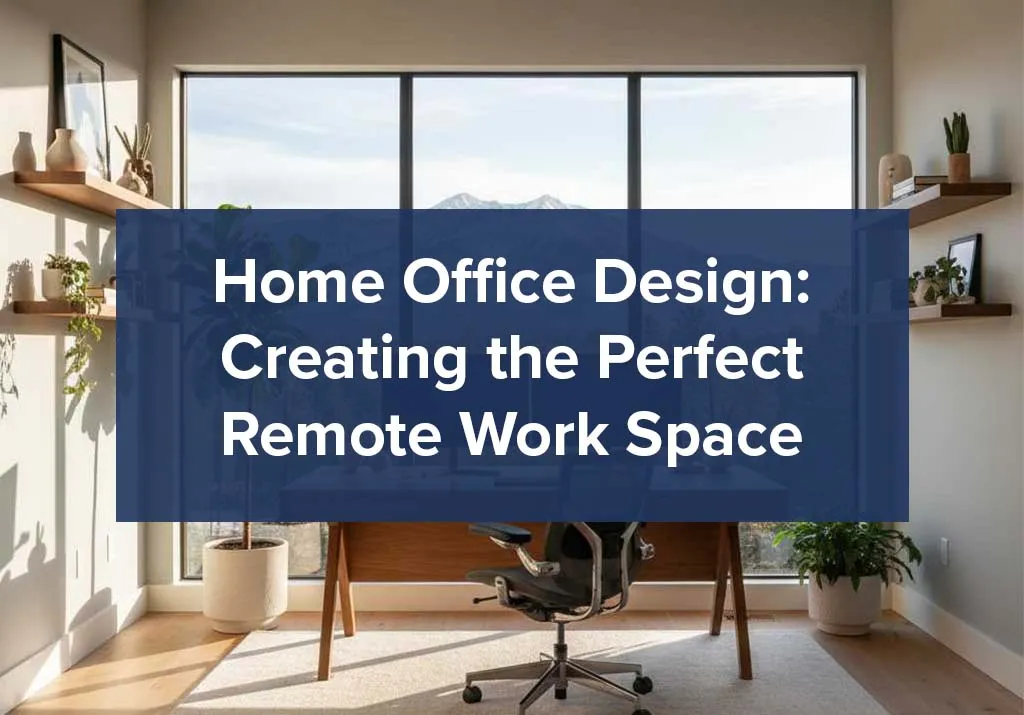
Working from home has become the new normal for thousands of Utah professionals, especially those in the thriving Silicon Slopes tech corridor. Whether you’re building a new home in South Jordan, Payson, or anywhere along the Wasatch Front, creating a dedicated home office space isn’t just a luxury, it’s essential for productivity and work-life balance.
At McArthur Homes, we’ve designed countless floor plans with remote work in mind, and we’ve learned what makes a home office truly functional. This guide will walk you through everything you need to create a workspace that boosts productivity, looks professional on video calls, and fits seamlessly into your new Utah home.
Why Home Office Design Matters
A well-designed home office does more than provide a place to set up your laptop. Dedicated workspaces boost focus and cut distractions. They also set clear boundaries between work and home life. This is key, especially when your office is just steps from your living room.
For Utah families moving into new construction homes, planning your home office during the building process gives you a significant advantage. Choose the right room location. Make sure you have good lighting. You can also add custom features, like built-in shelves or extra electrical outlets, before move-in day.
Choosing the Right Location in Your Home
Consider Natural Light
Utah’s abundant sunshine is one of our state’s greatest assets, and your home office should take full advantage of it. Natural light reduces eye strain, improves mood, and makes video calls look more professional. When you tour model homes or choose your floor plan, look for rooms with east or north-facing windows. These windows give you steady, glare-free light all day.

Pro tip: Many of our new home floor plans feature flex rooms or bonus spaces specifically designed with home offices in mind, often positioned to maximize natural light.
Minimize Distractions
Location matters. A ground-floor office near the front door is great for meeting clients. But if you often take video calls, a second-floor spot away from busy areas offers better noise control. Consider your household’s daily rhythms, where do kids play? When does the mail arrive? These factors impact your work focus.
Room Size Considerations
For small office ideas, you don’t need a massive space to create an effective workspace. A 10×10 room provides ample space for a desk, storage, and comfortable seating. Even converted closets or unused corners can become productive nooks with smart planning and the right office furniture.
Essential Home Office Furniture
The Desk: Your Workspace Foundation
Your desk is where you’ll spend 40+ hours weekly, so choose wisely. Here’s what to consider:
Size and Shape:
- Standard desks (60″ wide) work for most people
- L-shaped desks maximize corner spaces and provide more surface area
- Standing desks or sit-stand converters promote better posture and health

Features to prioritize:
- Built-in cable management (Utah’s tech workers especially appreciate this)
- Sufficient depth (24-30 inches minimum) for dual monitors
- Sturdy construction that doesn’t wobble during typing
Many Utah furniture stores, like RC Willey and IKEA, offer quality home office desks. You can find options at different price points, so it’s easy to match your budget and style.
The Ergonomic Office Chair
This is not the place to cut corners. An ergonomic office chair prevents back pain and supports healthy posture during long work sessions.
Key features:
- Adjustable seat height (your feet should rest flat on the floor)
- Lumbar support that maintains your spine’s natural curve
- Armrests that allow your shoulders to relax
- Breathable fabric (important in Utah’s dry climate)
Expect to invest $200-$600 for a quality chair that will last years. Herman Miller, Steelcase, and Autonomous provide great choices at various prices.
Storage Solutions and Office Shelving
Clutter kills productivity. Effective desk organization and storage keep your workspace functional:
- Filing cabinets for important documents
- Floating shelves to display books and décor without consuming floor space
- Desk organizers for pens, sticky notes, and small items
- Drawer dividers to separate office supplies

McArthur Homes’ design studio can help you plan custom built-ins if you’re building new, a popular choice among our homeowners who want their office to feel polished and professional.
How to Set Up a Home Office: Step-by-Step Guide
Step 1: Plan Your Office Layout
Before buying furniture, measure your space and sketch a basic floor plan. Consider:
- Where will the desk go? (Position it to face the door if possible, this feels more open and welcoming)
- How will traffic flow through the room?
- Where will you place additional seating for virtual meetings?
- Do you need room for a printer, filing cabinet, or other equipment?
The best office layout positions your desk perpendicular to the window, giving you natural light without screen glare.
Step 2: Manage Your Cables
Cable management might seem minor, but tangled cords create visual chaos and make cleaning difficult. Solutions include:
- Cable clips attached under your desk
- Cable sleeves that bundle multiple cords together
- Desk grommets for routing cables through the work surface
- Wireless peripherals to reduce cord clutter entirely
Step 3: Optimize Your Lighting
Layer your home office design lighting for different tasks:
Ambient lighting: Overhead lights or ceiling fixtures provide general illumination
Task lighting: A desk lamp for focused work (position it on the opposite side from your dominant hand to minimize shadows)
Accent lighting: Soft lighting behind your monitor reduces eye strain during evening work

Look for LED bulbs in the 3000K-4000K range, they mimic natural daylight without the harsh blue tones that disrupt sleep if you work late.
Step 4: Set Up Your Technology
Modern remote work requires reliable tech:
- Dual monitors dramatically improve productivity for multitasking (many tech professionals on Silicon Slopes swear by this setup)
- Quality webcam and microphone for professional video calls
- Wireless keyboard and mouse to maintain a clean desktop
- Surge protector to protect expensive equipment
Utah’s fiber internet infrastructure (especially in newer communities built by home builders like McArthur Homes) supports high-speed connections perfect for video conferencing and large file transfers.
Home Office Ideas for Different Spaces
Small Office Ideas That Maximize Space
Working with limited square footage? These strategies help:
Go vertical: Tall bookcases and wall-mounted shelves draw the eye upward, making rooms feel larger while providing storage.
Choose multifunctional furniture: A desk with built-in drawers eliminates the need for a separate filing cabinet. A Murphy desk folds up when not in use.
Use light colors: Whites, soft grays, and pastels make small spaces feel more open. This is particularly effective in Utah’s bright, sunny climate.
Keep it minimal: Resist the urge to over-furnish. One great desk and chair beats a cramped room filled with unnecessary pieces.
Office Decor Ideas
Your workspace should inspire you. Consider:
- Color psychology: Blues and greens promote calm and focus, while yellows encourage creativity
- Plants: Low-maintenance options like pothos or snake plants improve air quality and add life
- Art and personal items: Photos, diplomas, or meaningful artwork make the space uniquely yours
- Texture: Mix materials (wood, metal, fabric) to add visual interest without clutter
Creating a Professional Video Background
With remote work here to stay, your video call background matters:
- Position your desk so a neat wall or bookshelf appears behind you
- Avoid windows directly behind you (they create backlight that darkens your face)
- Add a small plant or tasteful artwork for visual interest
- Ensure the space always looks tidy, this is what colleagues and clients see

Home Office Essentials Checklist
Here’s your complete shopping list for a fully functional workspace:
Furniture:
- Desk (appropriate size for your space)
- Ergonomic office chair
- Bookshelf or storage unit
- Filing cabinet (if needed)
Technology:
- Computer/laptop
- Monitor(s)
- Keyboard and mouse
- Webcam (if not built-in)
- Headset with microphone
- Desk lamp
Organization:
- Desk organizer
- File folders
- Cable management system
- Trash can and recycling bin
Comfort:
- Footrest
- Desk pad or mat
- Blanket or cardigan (for Utah’s air-conditioned summers)
- Water bottle
Planning Your Home Office in New Construction
If you’re building with McArthur Homes or another Utah builder, you have unique opportunities to customize your workspace:
Electrical Considerations
Ask your builder about:
- Additional outlets on separate circuits (prevents tripped breakers)
- USB charging ports built into walls
- Ethernet jacks for the fastest, most reliable internet connection
- Phone jacks if you use a landline
Built-In Features
Custom additions worth considering:
- Built-in desk or cabinetry
- Extra soundproofing in walls (particularly helpful if you’re on frequent calls)
- Upgraded flooring (hardwood or luxury vinyl instead of carpet)
- French doors or solid core doors for better noise isolation

Internet Infrastructure
In new Utah County communities, ask about:
- Fiber internet availability
- Pre-wiring for high-speed connections
- Locations of internet jacks throughout the home
Many new home developments in Utah County now include fiber infrastructure as standard, a huge advantage for remote workers.
Home Office Design for Utah’s Climate
Utah’s unique climate affects home office comfort:
Dry air: Use a humidifier in winter months when indoor air becomes especially dry. This protects wooden furniture and improves comfort.
Temperature control: A programmable thermostat or smart thermostat lets you adjust your office temperature independently from the rest of your home.
UV protection: Window treatments protect furniture from fading in Utah’s intense sunlight. Consider UV-filtering shades or curtains.
Maintaining Productivity in Your Home Workspace
Design is only half the battle, here’s how to stay productive:
Establish Boundaries
Create clear rules about when you’re “at work” even though you’re home. This might mean:
- Closing your office door during work hours
- Using a “do not disturb” signal
- Keeping consistent work hours
- Taking lunch breaks away from your desk
Keep It Clean and Organized
Dedicate 10 minutes at day’s end to tidying your workspace. This simple habit ensures you start each morning in an organized environment.
Personalize Thoughtfully
Your office should feel like your space, but avoid over-personalizing in ways that prove distracting. A few meaningful items beat a cluttered desktop.
Frequently Asked Questions About Home Office Design
Budget anywhere from $1,000 to $5,000 depending on your needs. A basic setup (desk, chair, lamp) starts around $500-1,000, while a fully equipped office with quality furniture, dual monitors, and upgraded tech can reach $3,000-5,000.
A minimum of 100 square feet (10′ x 10′) provides enough room for a desk, chair, and basic storage. A space of 120-150 square feet provides better comfort and flexibility for extra furniture or equipment.
Dedicated offices boost productivity, but well-designed dual-purpose spaces can also work. A guest room/office or exercise room/office combination is possible with Murphy beds or fold-away furniture. Just ensure the room serves its primary purpose well.
You need a pro for full soundproofing. But you can cut noise by using:
– Heavy curtains
– Rugs or carpet
– Acoustic panels on walls
– Weather stripping around doors
– Solid-core doors instead of hollow ones
If building new, ask your builder about upgrading insulation in office walls.
Maximize small offices by:
– Using tall shelves for vertical storage.
– Choosing a corner or L-shaped desk.
– Keeping color schemes light.
– Mounting monitors on arms to free up desk space.
– Avoiding bulky furniture.
Even a 6′ x 8′ space can function well with smart design.
Standing desks (or sit-stand converters) offer health benefits by reducing prolonged sitting. They’re especially valuable if you work 8+ hours daily. However, they’re not essential, regular breaks and good posture at a traditional desk work well too. If budget allows, a height-adjustable desk offers the best flexibility.
Very important. Natural light improves mood, reduces eye strain, and regulates circadian rhythms (improving sleep). Position your desk near windows when possible, but avoid direct glare on screens. North-facing windows provide the most consistent, non-glare light throughout the day.

Ready to Build Your Dream Home Office?
Creating the perfect home office design starts with the right foundation, literally. When you build a new home with McArthur Homes, you’re not just getting a house; you’re creating a space tailored to how you actually live and work.
Our communities across Utah County offer:
- Flexible floor plans with dedicated office spaces
- Modern infrastructure including fiber internet
- Award-winning design studios to customize your space
- Prime locations near Silicon Slopes employment centers
Need a quiet space? Whether you’re a remote tech worker, freelancer, or just managing household tasks, we can help you create the ideal workspace.
Explore our available floor plans to see how we incorporate home office features into modern Utah living, or schedule a tour of our model homes to see these concepts in action.
To be productive, your surroundings need to help you. So, start creating that environment today.